Three Perspectives: Athlete, Organizer, Judge
Every WODsmith competition is the same event seen from three angles. Understanding which perspective you're in — and what the platform shows each perspective — saves time and confusion.
The Three Perspectives
            Organizer
              ↓
   creates · configures · publishes
              ↓
       ┌──────┴──────┐
       ↓             ↓
    Athlete   ←   Judge
   competes    verifies
| Perspective | Primary surface | Goal |
|---|---|---|
| Organizer | /compete/organizer/{competitionId} | Set up and run the event |
| Athlete | /compete/{slug} | Compete and track results |
| Judge / Volunteer | /compete/{slug}/review (online) or scoring URLs (in-person) | Verify scores and judge submissions |
What Each Sees
The same competition page renders differently depending on your role and entitlements.
Athlete View
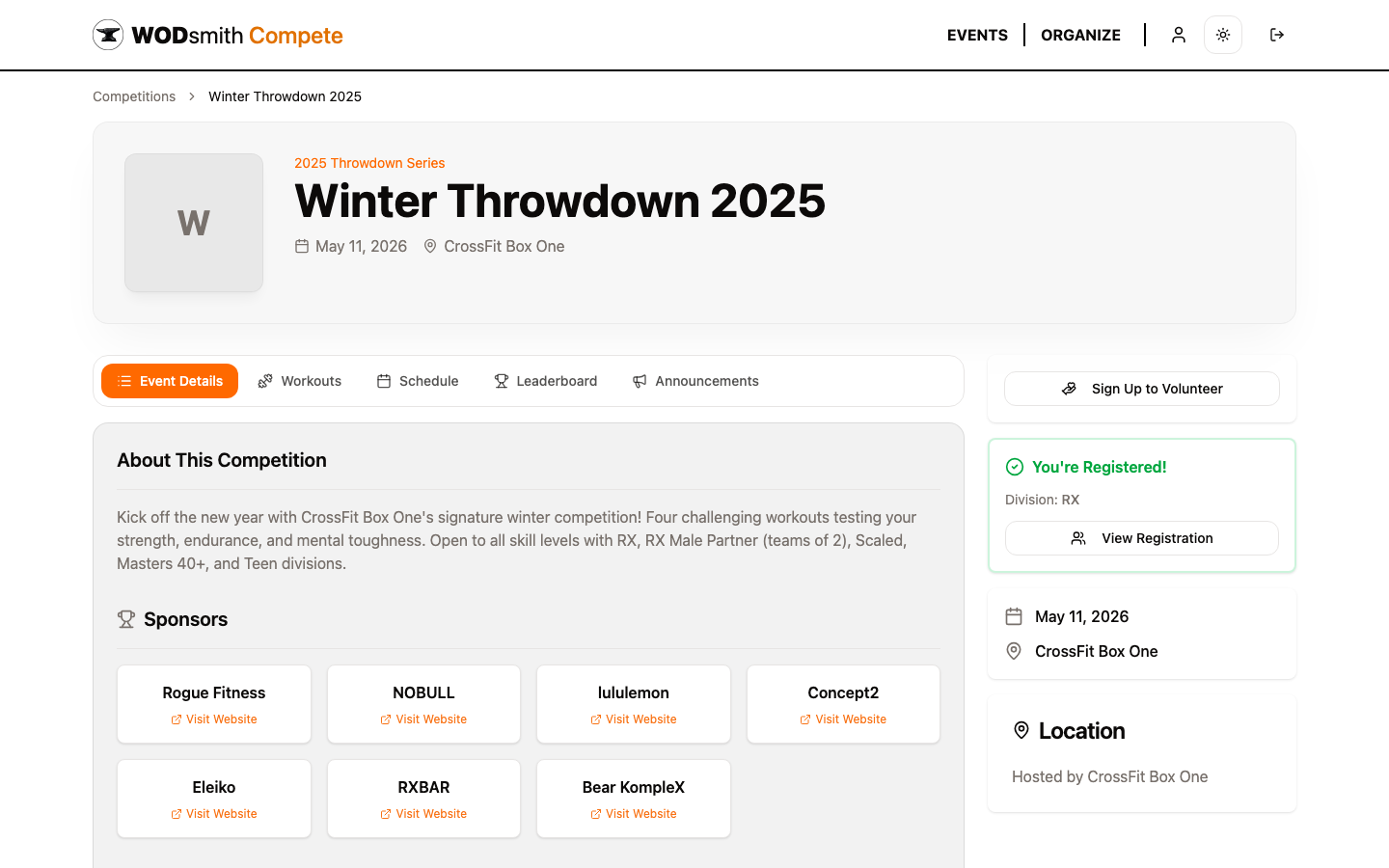
Athletes see:
- Event details, sponsors, schedule, workouts, leaderboard, announcements
- A registration panel on the right rail (or "You're Registered!" once they sign up)
- Their personal heat assignments highlighted on the schedule
Athletes never see organizer-only data — pending registrations from other athletes, draft events, unpublished division results, judge rotations.
Organizer View
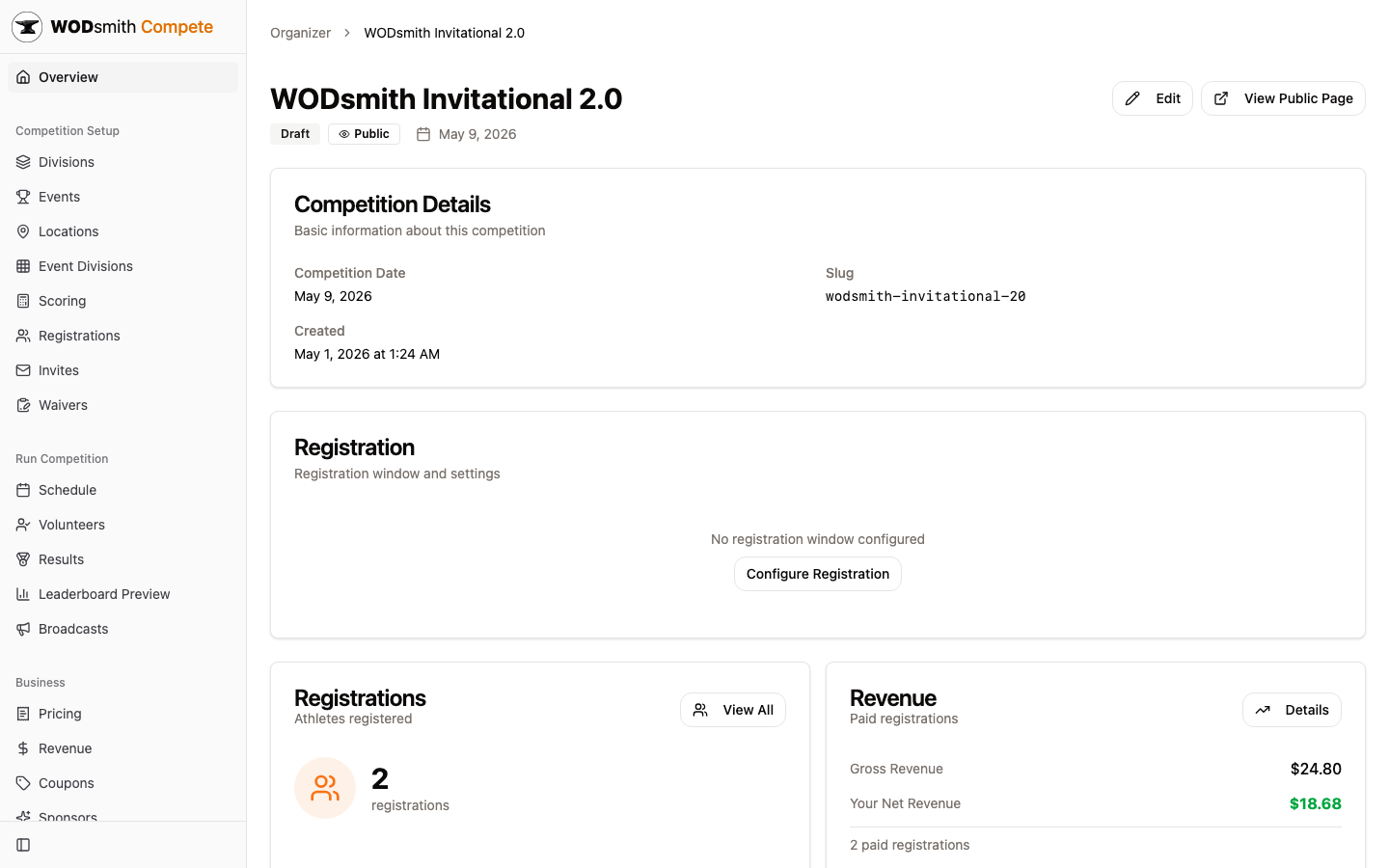
Organizers see:
- A dedicated sidebar nav grouped by Competition Setup (divisions, events, scoring, registrations, waivers), Run Competition (schedule, volunteers, results, leaderboard preview, broadcasts), and Business (pricing, revenue, coupons, sponsors)
- Live counts (registrations, revenue, paid registrations)
- Quick-action cards that flag missing setup steps (no events, no heats, no published divisions)
- A Leaderboard Preview that bypasses publish gates so they can sanity-check standings before going public
Organizers can also impersonate the athlete view by clicking View Public Page in the header — a critical sanity check before publishing.
Judge / Volunteer View
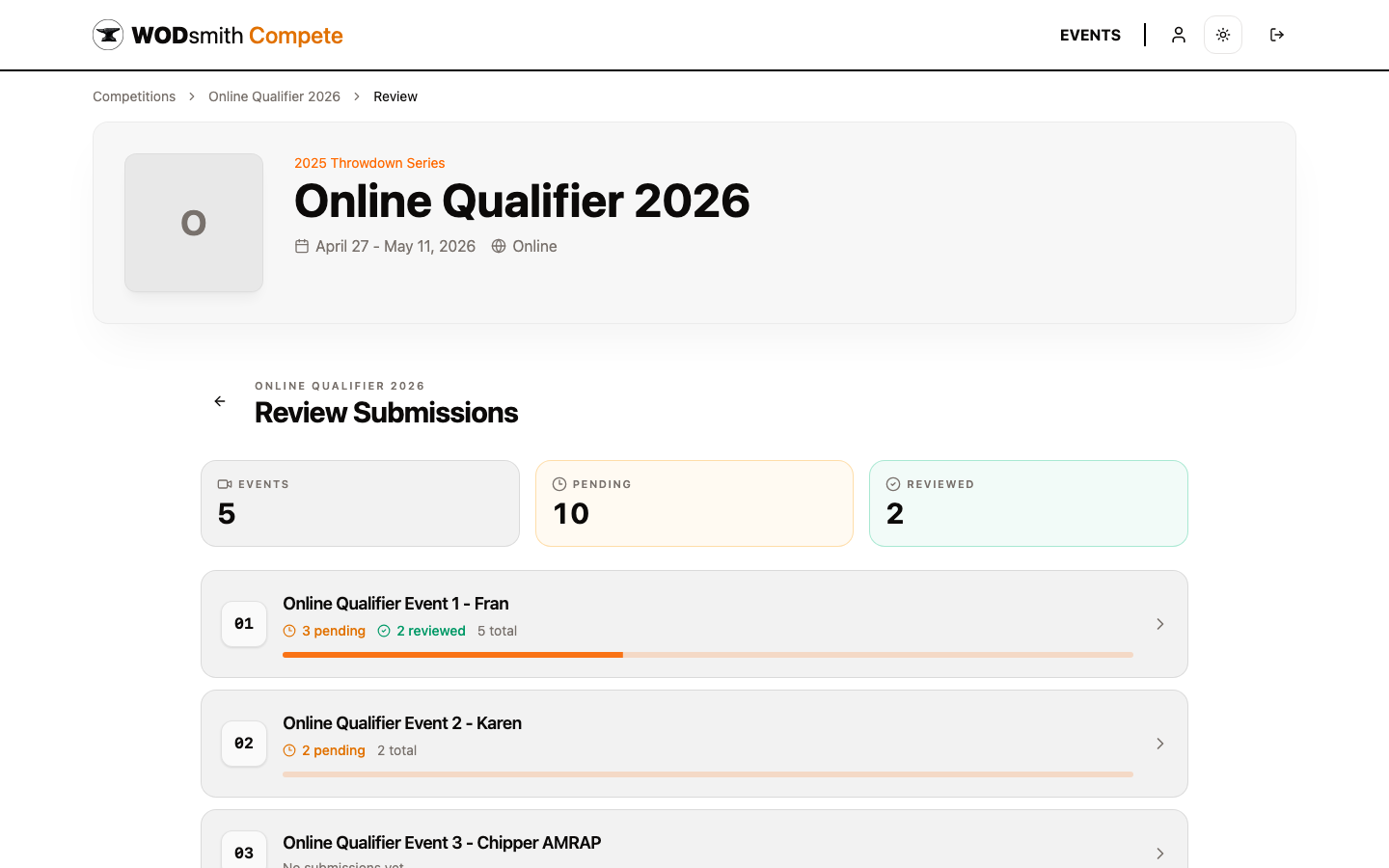
Judges with score-input access see:
- The standard athlete tabs on the public competition page
- An additional Review link (online competitions) or score-entry deep links (in-person)
- A queue of pending submissions filtered to the events they're assigned to
- Per-submission tools: video player, athlete details, score editor, vote button, penalty form, status dropdown
Judges don't see organizer business data (revenue, coupons, registrations from athletes they aren't reviewing). They see exactly what they need to verify scores — nothing more.
Why the Same Page Renders Differently
WODsmith uses entitlements and team permissions to gate views, not separate apps. A single user might be an organizer for one competition, an athlete in another, and a judge in a third — all from the same account. The platform decides what to show based on:
- Who you are — your user account
- What you've registered for — your competition registrations
- What entitlements you've been granted — score-input access, cohost permissions
- What team permissions you have — admin/owner of the organizing team
This unified model means that data structures are shared, but views are scoped. Athletes can't see other athletes' registration questions. Judges can't see revenue. Organizers see everything for their team.
Crossing Perspectives
A common workflow involves crossing perspectives:
- An organizer uses the public page to verify a typo before publishing
- A judge competes in a different competition the same weekend
- An athlete becomes a volunteer for a teammate's event
The right top-bar menus and the Organize button (visible only to users with organizing-team membership somewhere) make these transitions explicit.
What This Means for Documentation
The docs are organized by perspective for a reason: the same task ("score an event") looks different depending on who's doing it.
- Athletes read about checking their scores
- Judges read about entering and verifying scores
- Organizers read about managing the scoring system as a whole
When in doubt, jump to the perspective that matches your current task — even if you'd normally identify with another role.
Continue: The Competition Day Flow | Division System