Team Roles Reference
Permissions and capabilities for each team role in WODsmith.
Role Hierarchy
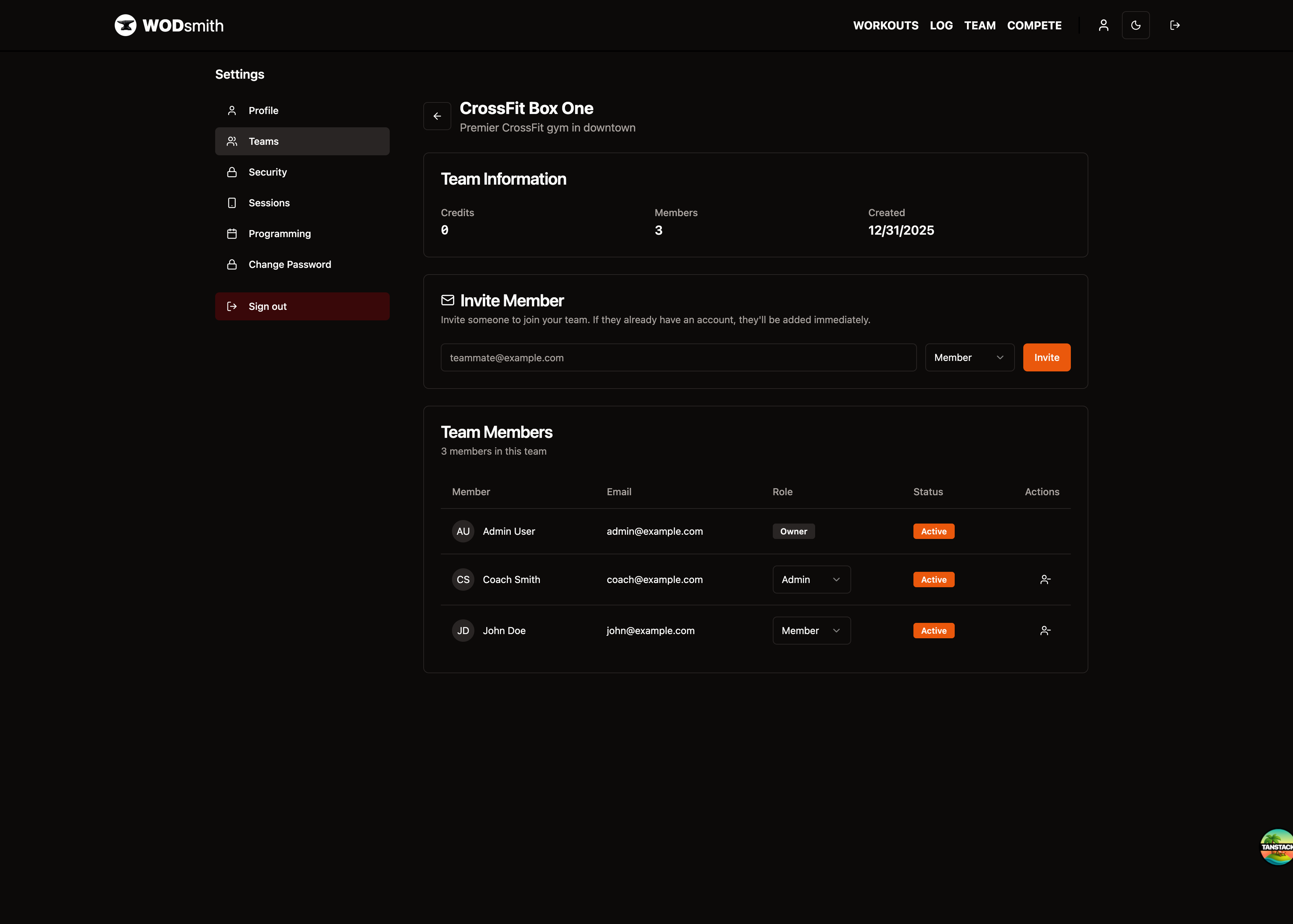
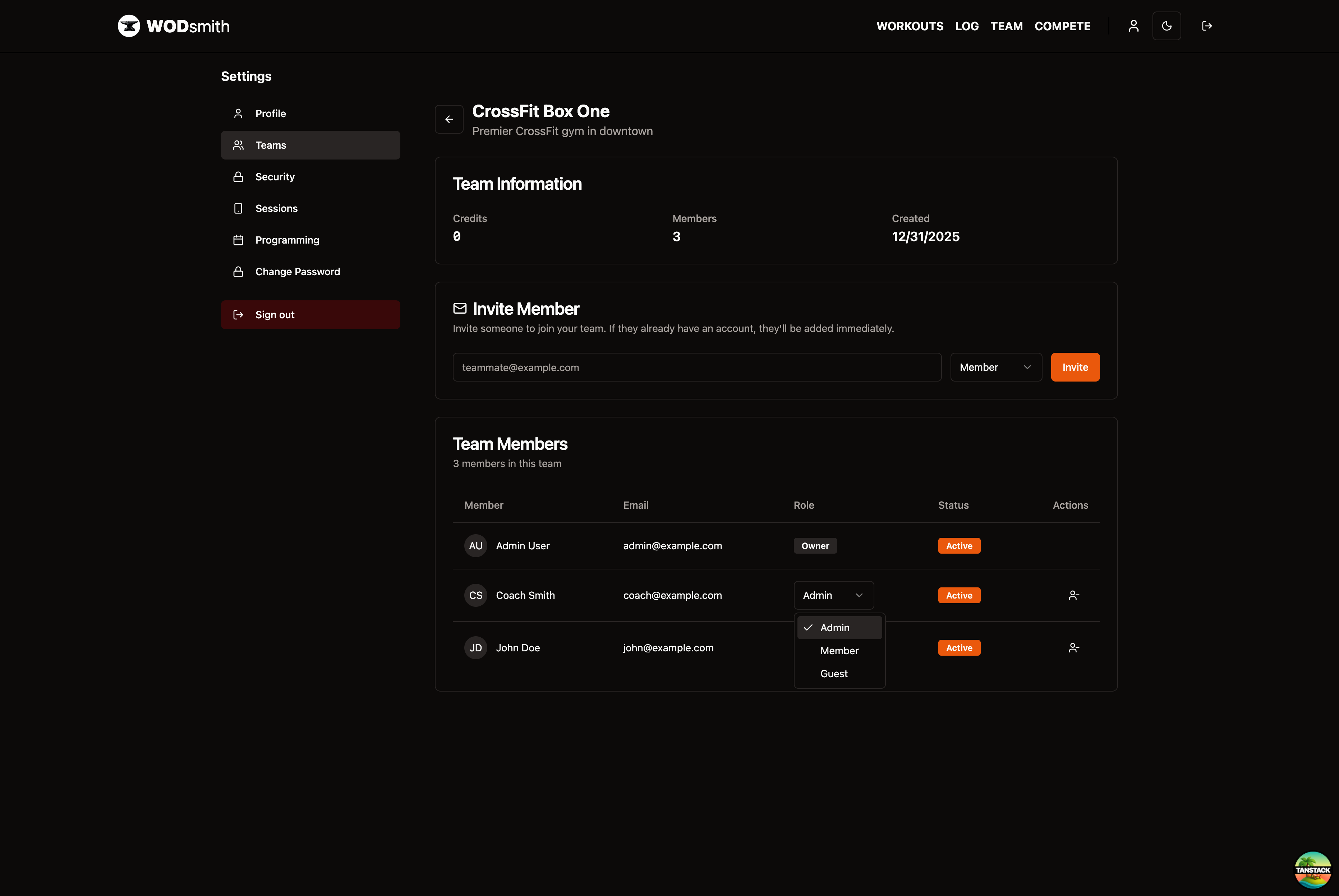
Owner → Admin → Member → Guest
Higher roles inherit permissions from lower roles. The Owner role is special and cannot be assigned—it's automatically given to the team creator.
Available Roles
| Role | Description |
|---|---|
| Owner | Team creator, full access, cannot be demoted |
| Admin | Full access except ownership transfer |
| Member | Standard athlete access |
| Guest | Limited read-only access |
For competitions, additional roles exist:
- Captain - Competition team leader
- Volunteer - Event day helper with check-in/scoring access
Permission Matrix
Content Permissions
| Permission | Owner | Admin | Member | Guest |
|---|---|---|---|---|
| View published workouts | ✓ | ✓ | ✓ | ✓ |
| View draft workouts | ✓ | ✓ | ✗ | ✗ |
| Log personal scores | ✓ | ✓ | ✓ | ✗ |
| View all member scores | ✓ | ✓ | ✗ | ✗ |
| Create workouts | ✓ | ✓ | ✗ | ✗ |
| Edit any workout | ✓ | ✓ | ✗ | ✗ |
| Delete workouts | ✓ | ✓ | ✗ | ✗ |
Programming Permissions
| Permission | Owner | Admin | Member | Guest |
|---|---|---|---|---|
| View calendar | ✓ | ✓ | ✓ | ✓ |
| Schedule workouts | ✓ | ✓ | ✗ | ✗ |
| Manage tracks | ✓ | ✓ | ✗ | ✗ |
| Create templates | ✓ | ✓ | ✗ | ✗ |
| Publish programming | ✓ | ✓ | ✗ | ✗ |
Team Management Permissions
| Permission | Owner | Admin | Member | Guest |
|---|---|---|---|---|
| View member list | ✓ | ✓ | ✗ | ✗ |
| Invite members | ✓ | ✓ | ✗ | ✗ |
| Remove members | ✓ | ✓ | ✗ | ✗ |
| Change member roles | ✓ | ✓ | ✗ | ✗ |
Administrative Permissions
| Permission | Owner | Admin | Member | Guest |
|---|---|---|---|---|
| Edit team settings | ✓ | ✓ | ✗ | ✗ |
| Manage billing | ✓ | ✓ | ✗ | ✗ |
| Configure integrations | ✓ | ✓ | ✗ | ✗ |
| Delete team | ✓ | ✗ | ✗ | ✗ |
| Transfer ownership | ✓ | ✗ | ✗ | ✗ |
Role Descriptions
Owner
The team creator with irrevocable full access. Every team has exactly one Owner. Ownership can be transferred to another Admin.
Admin
Full access to team features including member management, billing, and settings. Cannot delete the team or transfer ownership.
Member
Standard athlete access. Can view published content, log personal scores, and view the team calendar. Cannot see other members' scores or manage team settings.
Guest
Limited read-only access. Can view published workouts and the calendar but cannot log scores or see member information.
Role Assignment Rules
- New team creators automatically become Owner
- Invited members receive the role specified in the invitation
- Admins can change any member's role (except Owner)
- The Owner cannot demote themselves
- Minimum one Admin or Owner required per team
Competition Organizer Access
Competition management uses a separate permission system:
| Permission | Organizer |
|---|---|
| Edit competition settings | ✓ |
| Manage registrations | ✓ |
| Enter scores | ✓ |
| Publish results | ✓ |
| View revenue | ✓ |
| Manage volunteers | ✓ |