How to View Workout Standards
Review every workout's structure, movement standards, scaling, and equipment so you arrive prepared.
Steps
- Open the competition page.
- Click the Workouts tab.
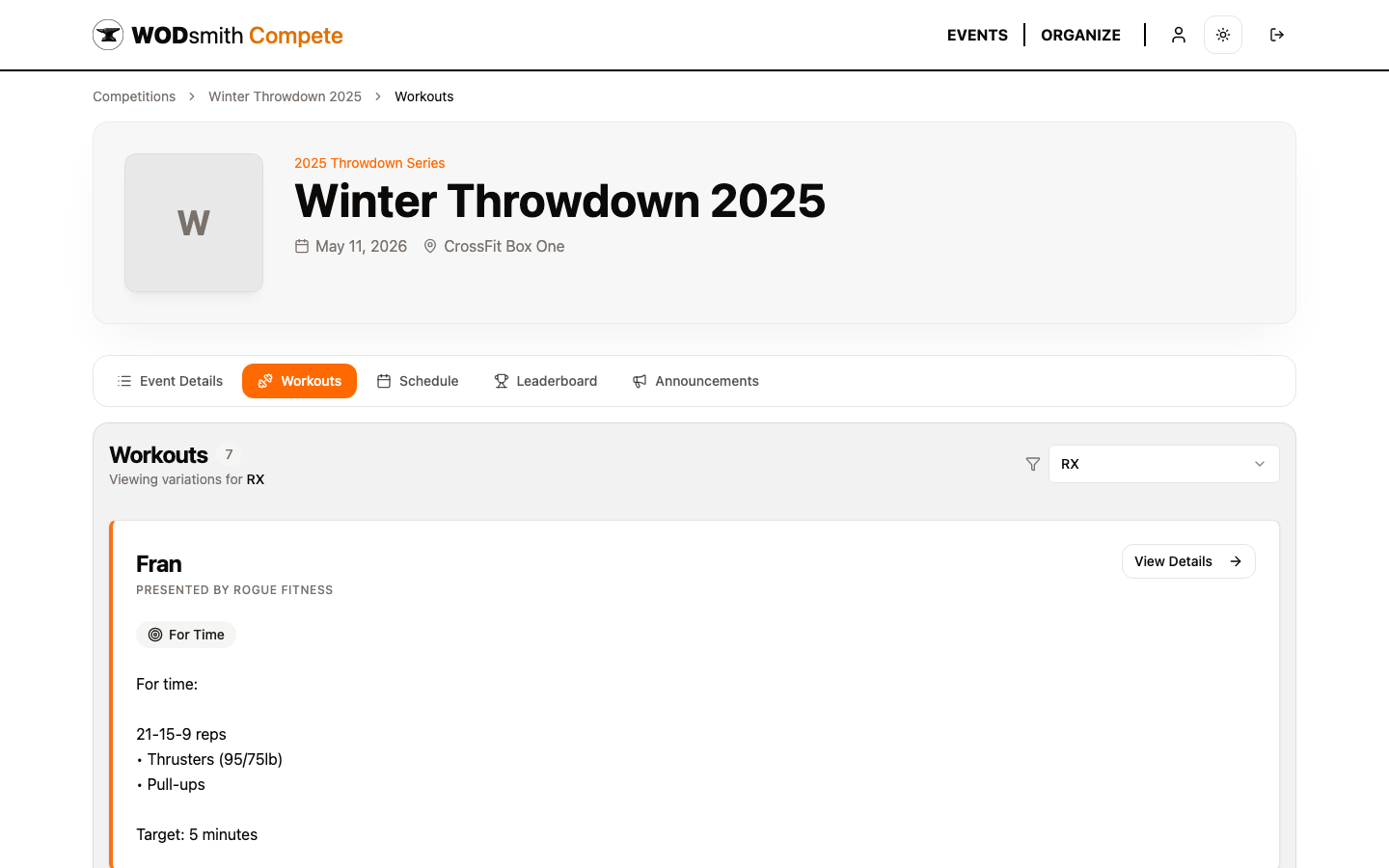
Division-Scoped Standards
The workouts list automatically filters to your division's variations when you're registered. The dropdown in the top right lets you peek at other divisions if you're curious how RX, Scaled, and Masters differ — useful when deciding whether to bump up or down before registration closes.
For each workout, you'll see:
| Section | What's there |
|---|---|
| Title and sponsor | Event name, optional presenting sponsor |
| Type | For Time, AMRAP, Strength, etc. |
| Description | The full WOD description for your division |
| Target / Time cap | Goal time and the cap if it's a capped workout |
| Movements | Each movement with reps, weights, and equipment |
| View Details | Link to the per-event page with movement standards, demo videos, and resources |
What to Read Before Event Day
For each event:
- Movement standards — read every standard. A no-rep is the most common reason athletes lose points.
- Equipment — note anything you need to bring (lifters, lifting straps, weight belt). The host gym usually provides barbells, plates, rowers, etc., but personal equipment is your responsibility.
- Time cap — know it cold. Pacing for a 12-minute cap is wildly different from pacing for a 20-minute cap.
- Order — events are listed in the order they'll run. Plan your warm-up and recovery accordingly.
Sub-Events
Some events are containers with multiple sub-workouts (e.g., "Event 5: Triathlon" with a 2k row + max double-unders + max snatch lifting). Sub-events show as nested cards under the parent. Each sub-event scores independently and contributes its own points to the leaderboard.
RX vs Scaled at a Glance
| Element | RX | Scaled |
|---|---|---|
| Weights | Prescribed | Reduced |
| Movements | Full standard (e.g., chest-to-bar pull-ups) | Modified (e.g., banded pull-ups) |
| Equipment | Standard | Alternative |
If you registered for the wrong division, contact the organizer — they can transfer your registration to a different division before the registration deadline. Most organizers prefer this be done early so heat assignments don't have to be redone.
Online Competitions
For online competitions, the same Workouts tab also shows the submission window for each event — the open and close timestamps during which you can upload your video. Plan your filming and editing time around the close timestamp; late submissions don't count.
See also: How to View Your Heat Schedule | How to Check Your Division Standings